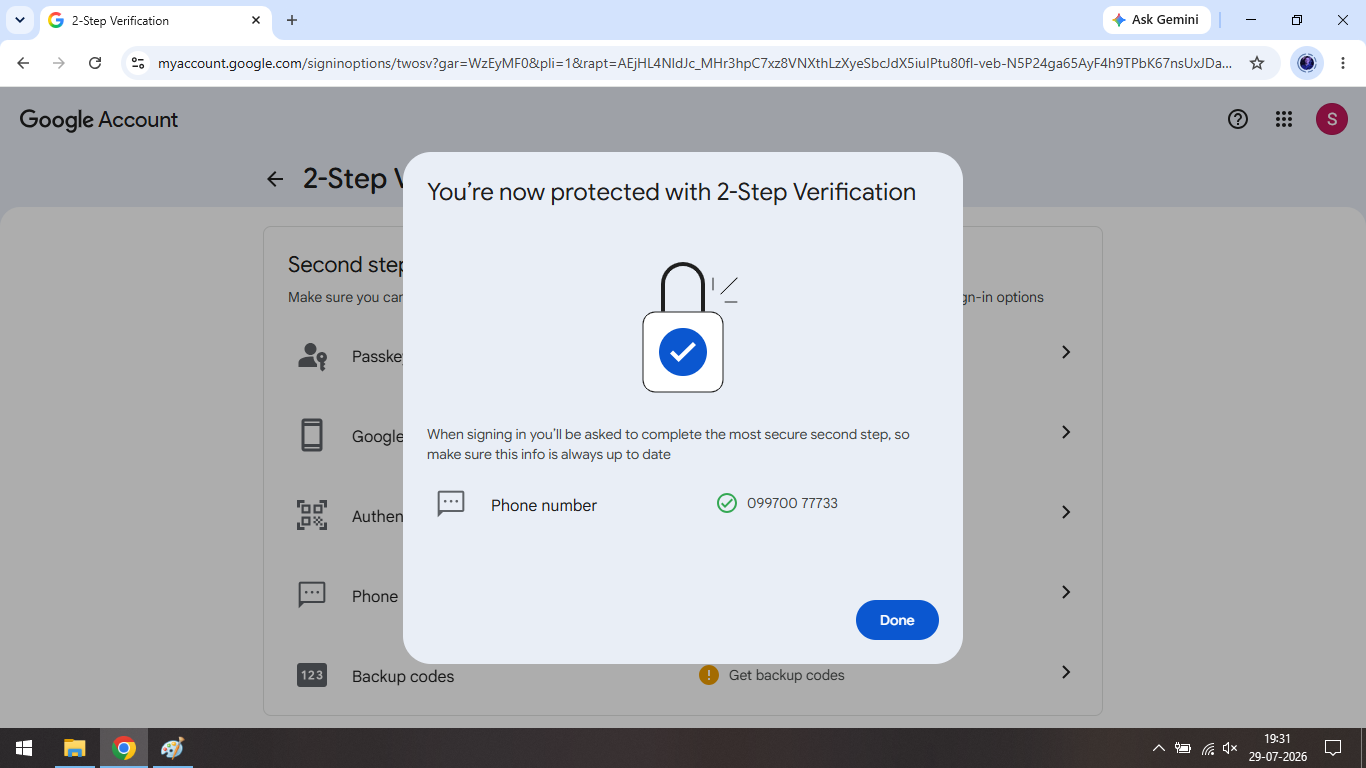
2-Step Verification
Steps to enable 2-Step Verification for SNJB Official Email ID are:
Deadline to enable 2-Step Verification is 15th August 2026
Step 1: Login to your email address
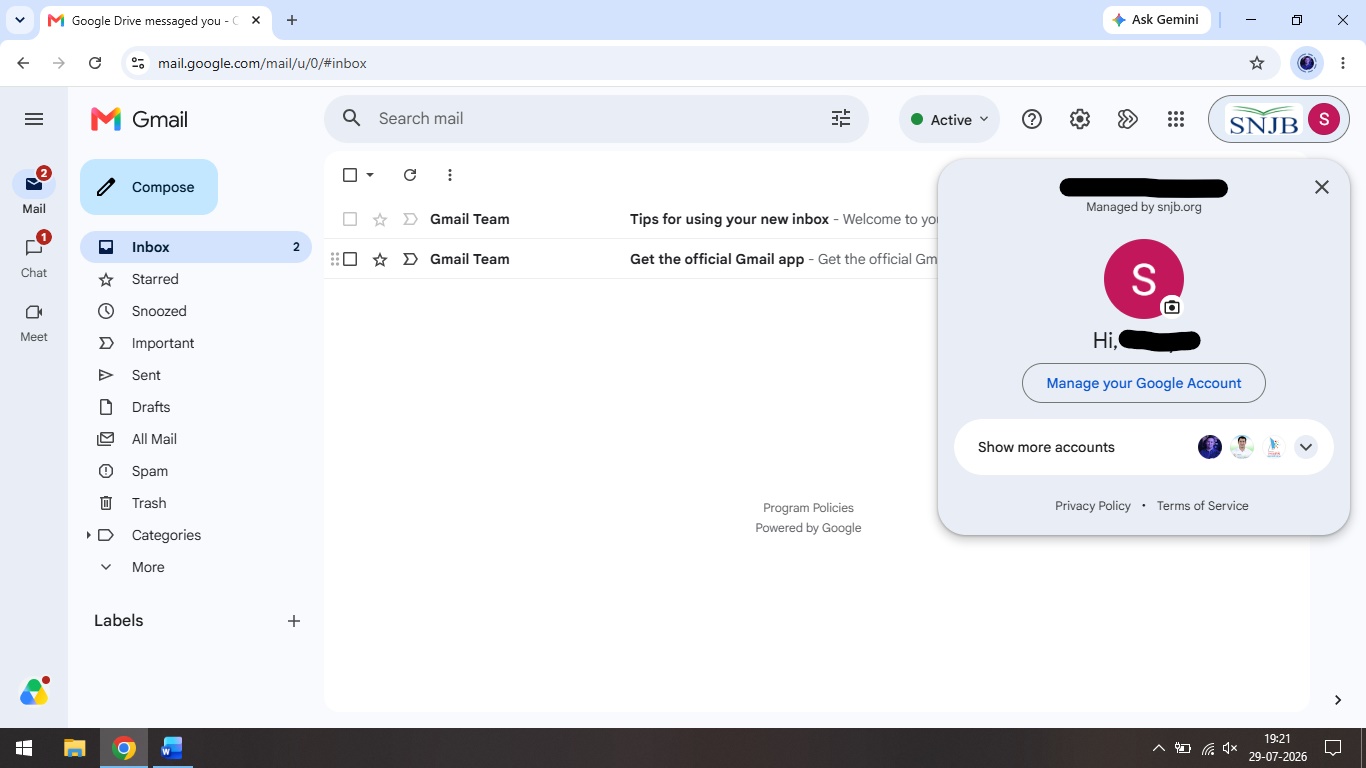
Step 2: Click on SNJB Logo on top right corner
Step 3: Then click on Manage your Google Account
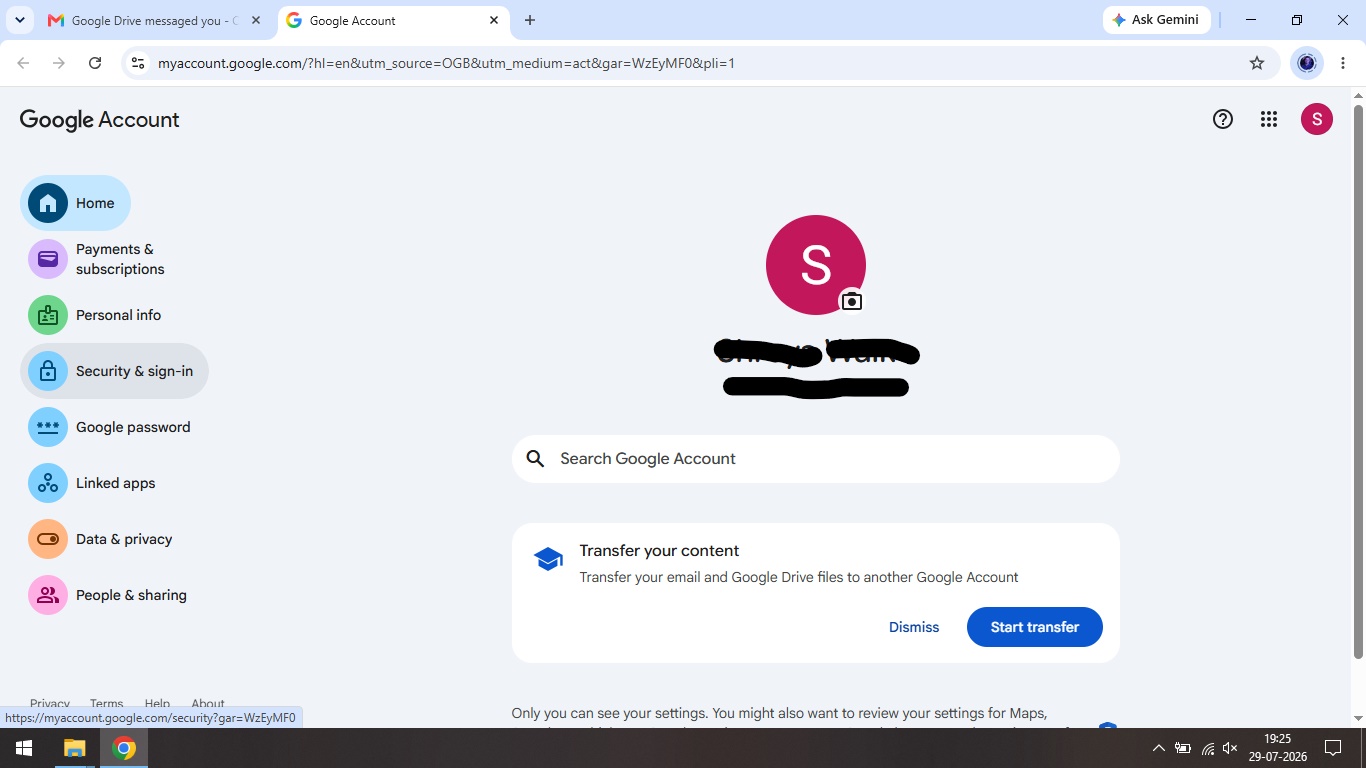
Step 4: Then click on Security & sign-in from left menu
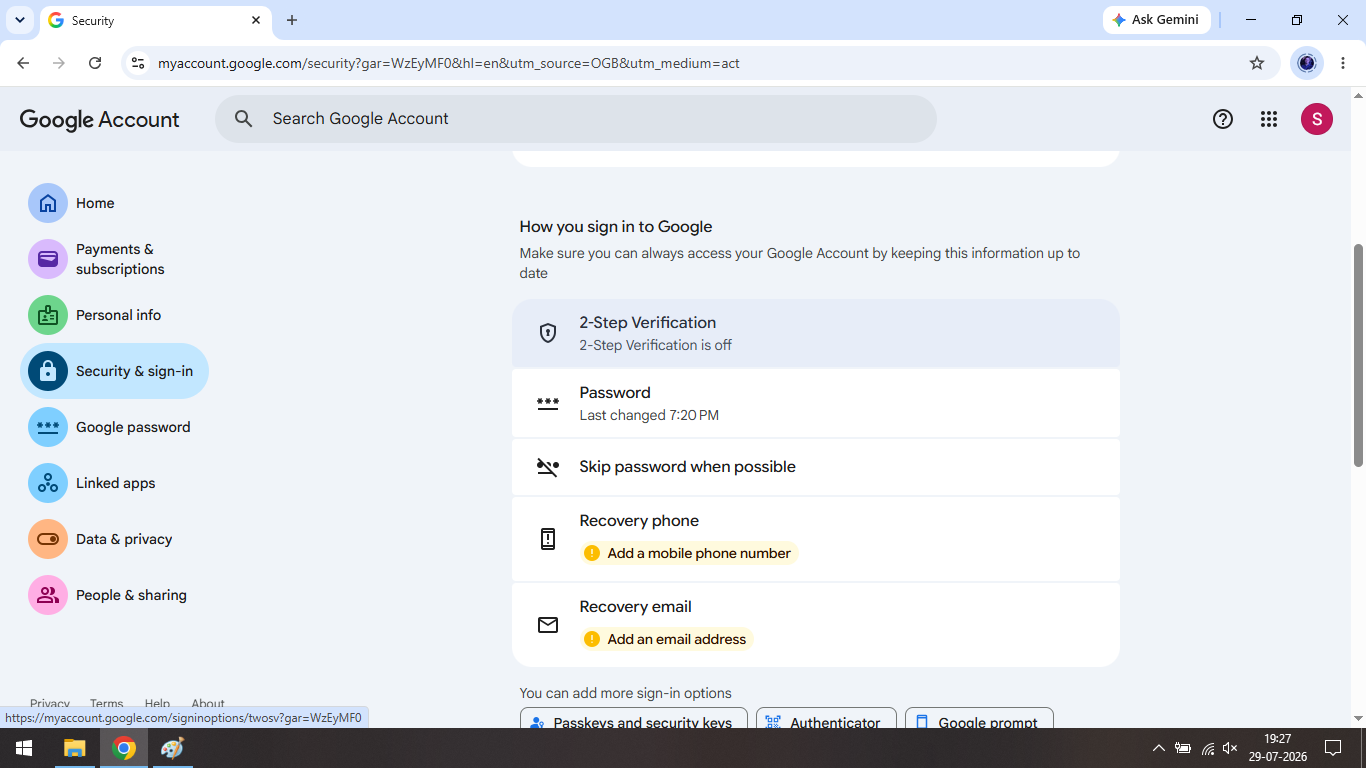
Step 5: Then scroll down and click on 2-Step Verification
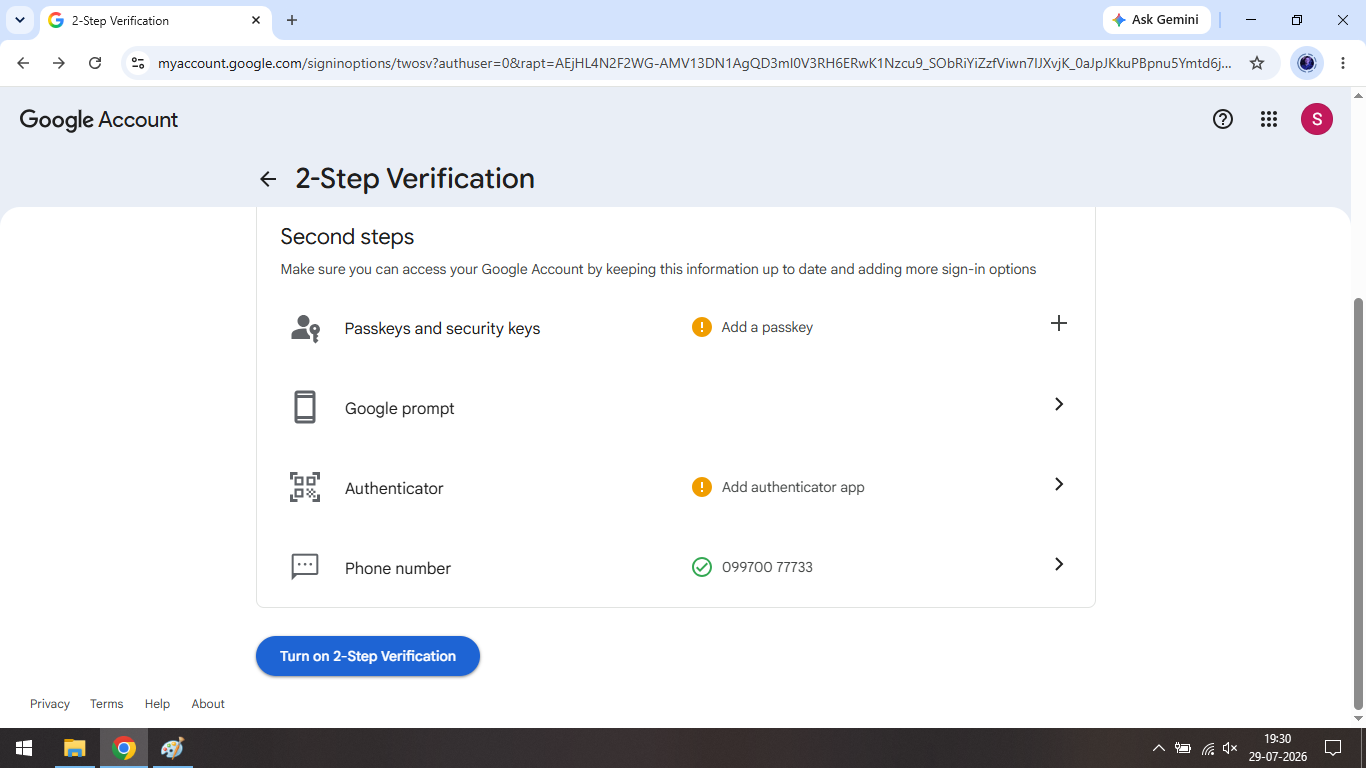
Step 6: Then scroll down and click on Add a phone number
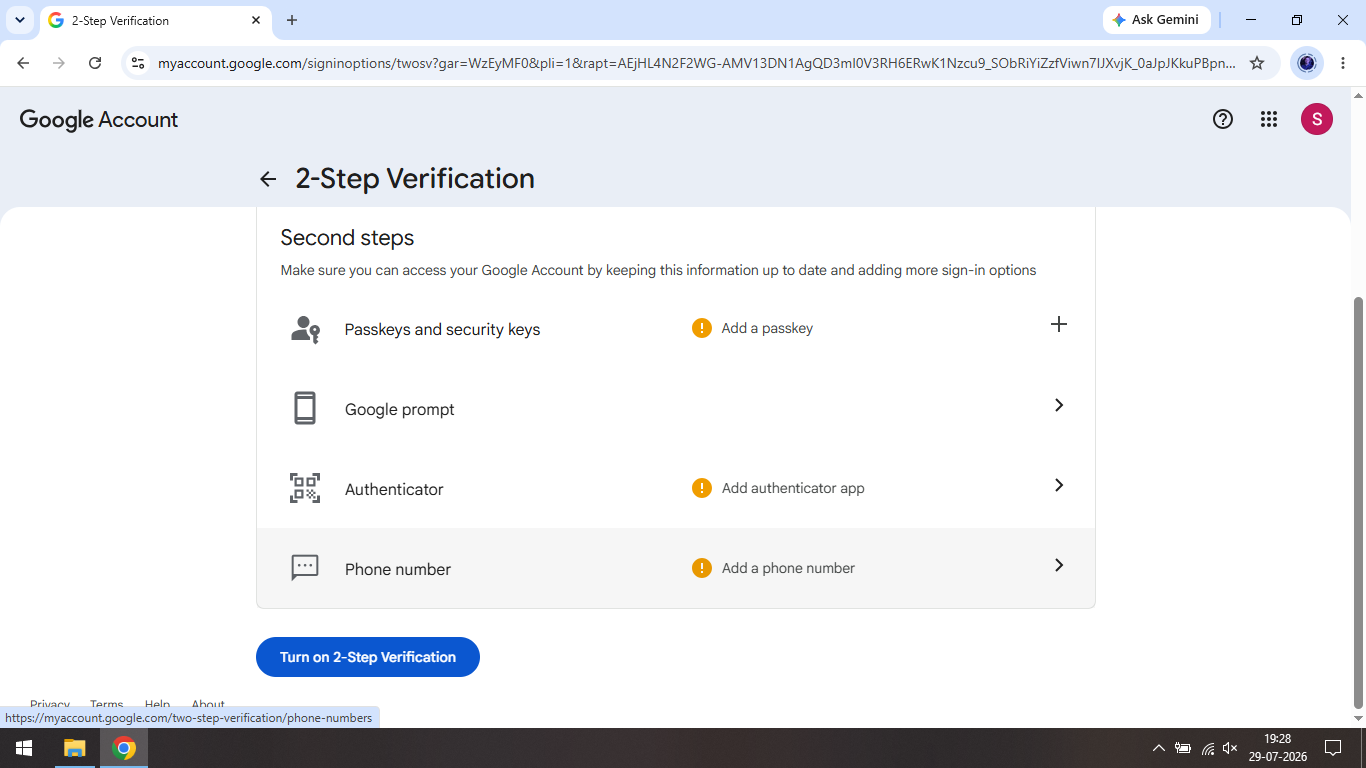
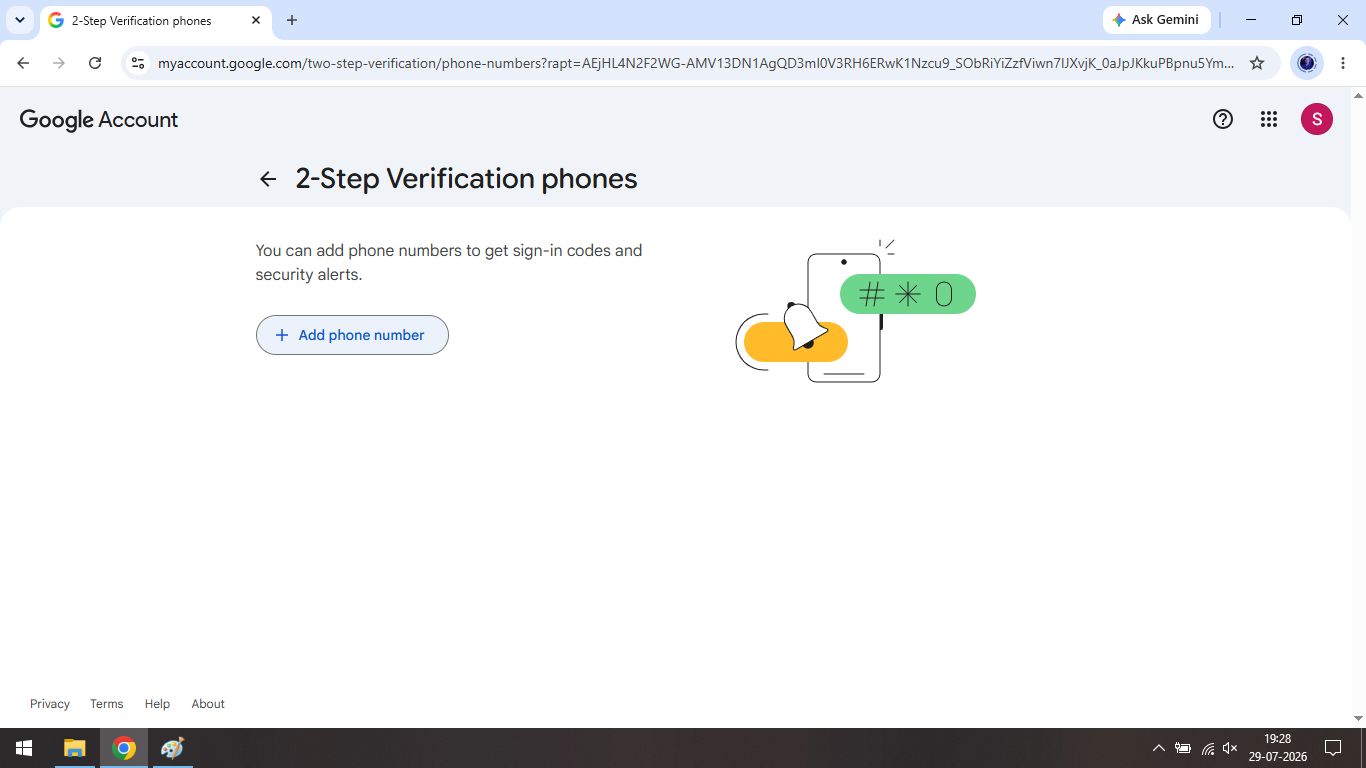
Step 7: Then again click on + Add phone number
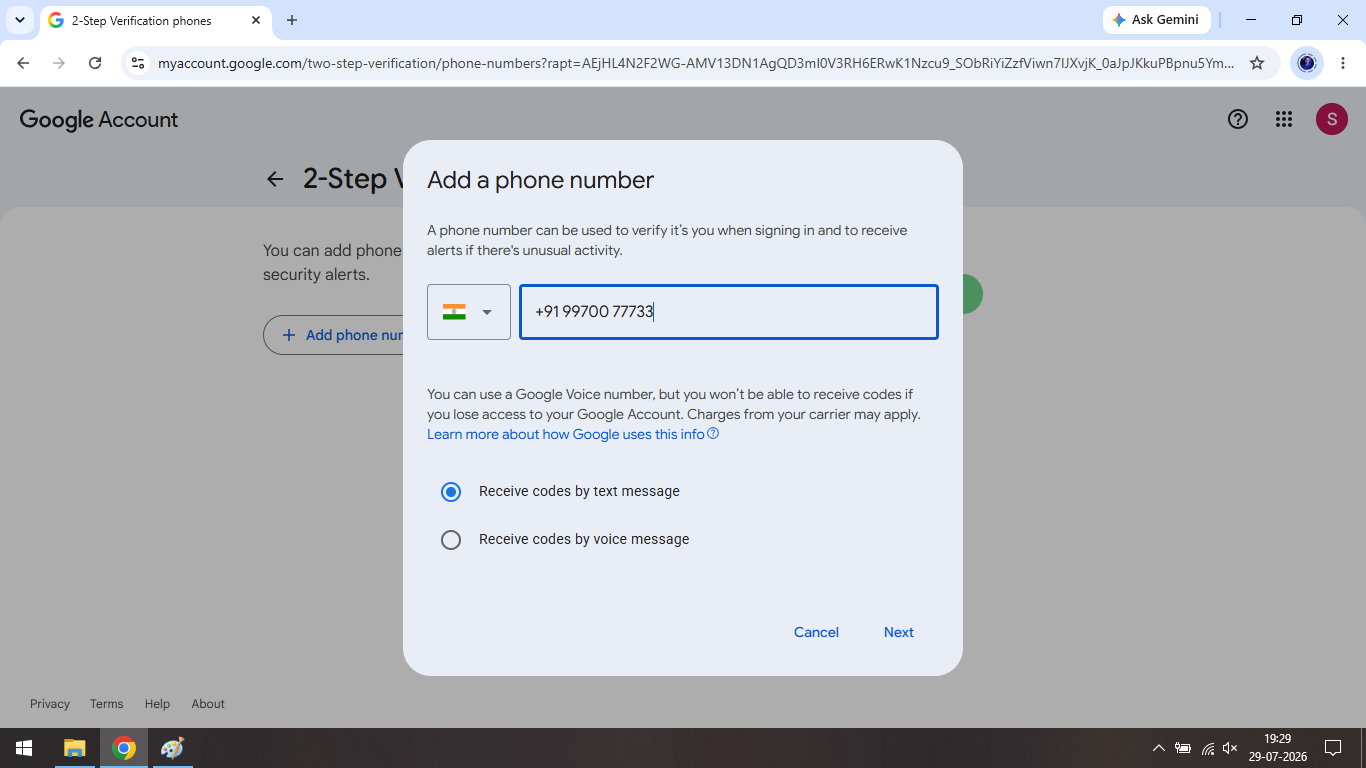
Step 8: Enter your working number and select appropriate option
Step 9: Click on Back Arrow for moving “Back to previous page”
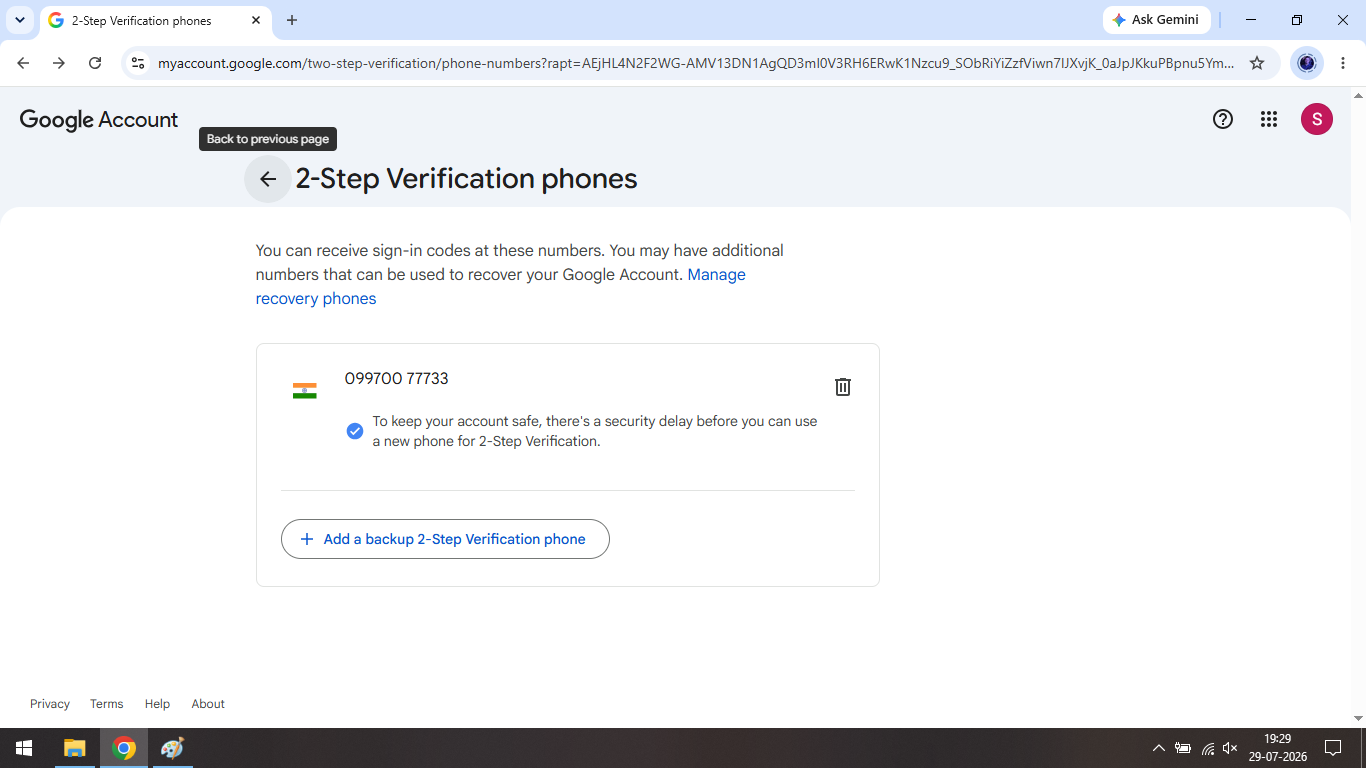
Step 10: Again scroll down and click on Turn on 2-Step Verification
Step 11: Final 2-Step Verification protection pop-up window will be appear